Troubleshooting
Common Errors
Note
Starting a new project and following the setup carefully should prevent all of the following errors. But this is a great reference anyway if you may have missed a step.
How do I install this package
If you have trouble installing the package, you can check out this guide from Unity.
The image is black
This probably means that AR Foundation is not working correctly. Make sure that ARKit/ARCore is enabled in the project settings.

Next, make sure in the Player Settings that ARKit/ARCore is enabled, too.

For a comprehensive guide, you should check out this guide from Unity.
The image is glitched
If it looks something like this
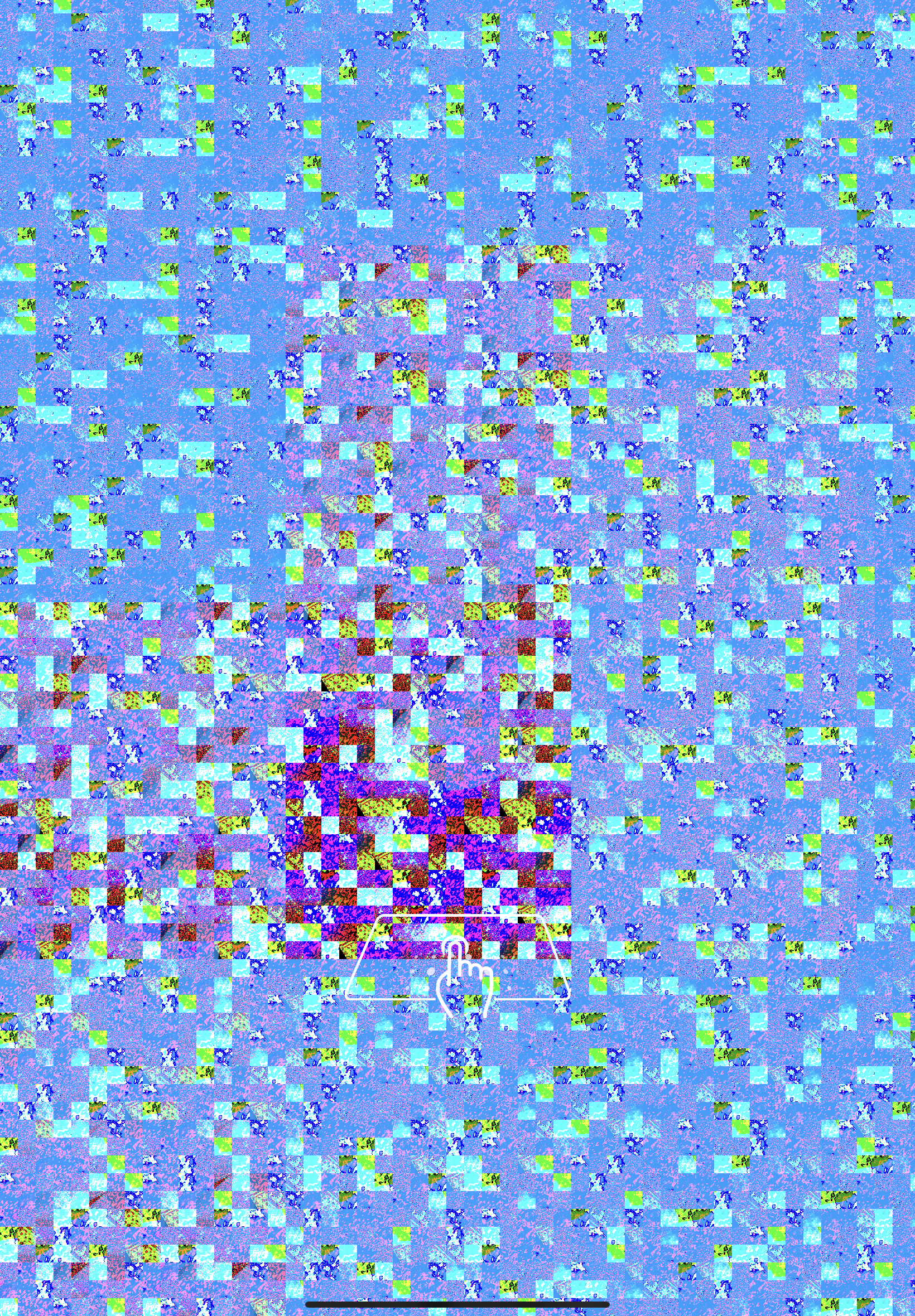
when deploying to your device, then URP is not setup with AR Foundation. Follow these steps here to fix it.
Stuff is pink
When objects are rendered pink, you are probably not using the URP (Universal Render Pipeline). Starting the a new project with the 3D (URP) starting template will prevent this problem. But it is also possible to upgrade. For more information check out this guide.
Threading error prevents building
This is a Unity related error. Restarting the project seems to help.
XCode Error requiring provising profile
XCode requires a provising profile whenever you make an build. Setting XCode to automatically manage signing should work.
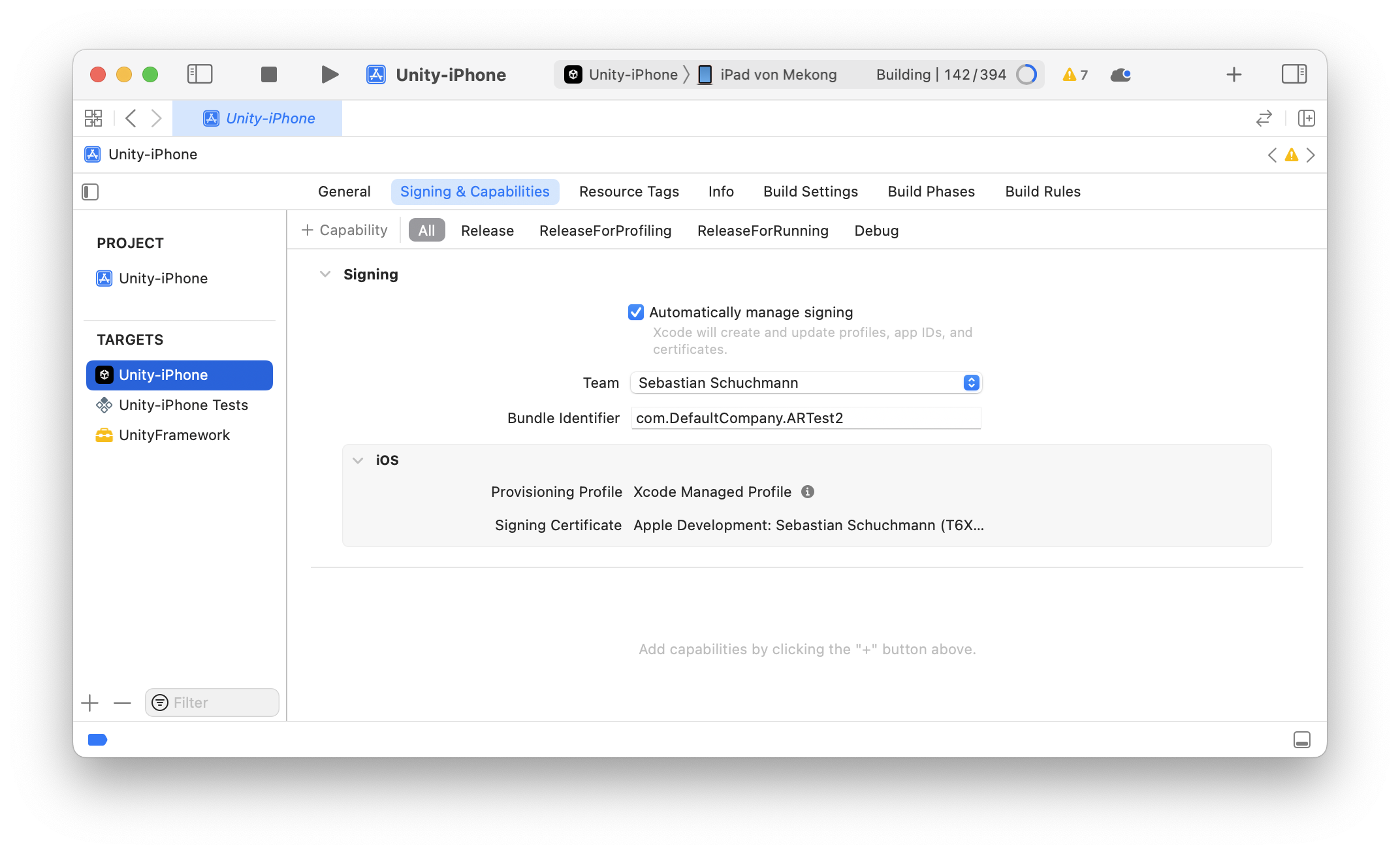
For further information make sure to check the Unity and or XCode docs.
App is crashing on Android
This is a problem with AR Foundation if you have Vulkan enabled for example. Follow these steps here to fix it.
Another great way is to use the validation window. Make sure everything is green here.
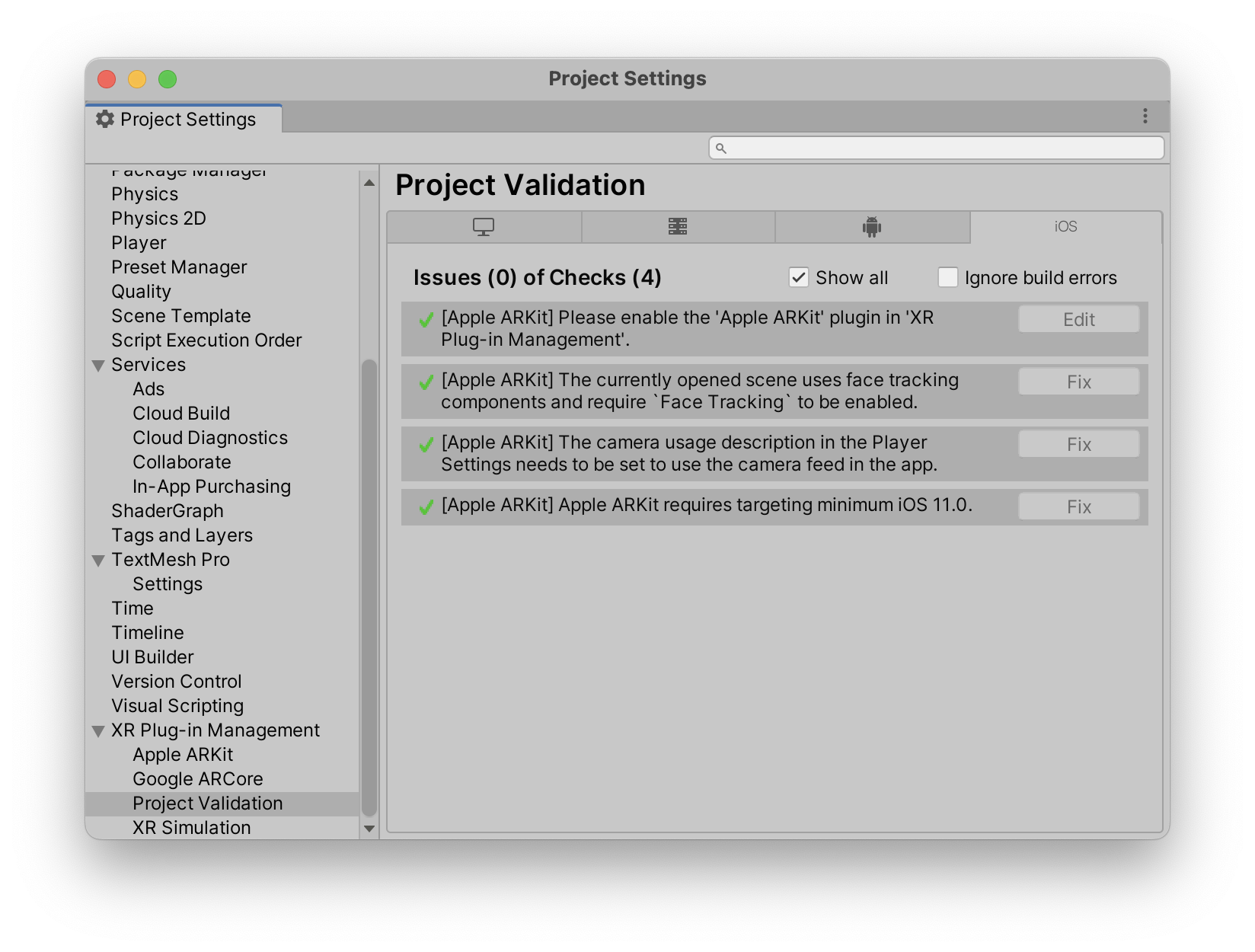
If the object can be spawned but not moved
Set Project Settings -> Player -> iOS -> Managed Stripping Level to "Minimal". See installation
If the object can be spawned but floats too high above the ground or is positioned below it
try adjusting the Pivot Position in Placeable Generator -> Advanced Settings. See Customization
I don't see a coaching overlay
The coaching overlay at beginning is an AR Kit only feature, meaning it is on iOS exclusivly.
None of my errors is listed here
Oh no! We do apologize for that. We try to support you as best and as quick as we can. Drop us a mail at support@ditached.de and we will try to help you out.